 |
ADTF Configuration Editor
|
|
ADTF Configuration Editor
|
Macros are place holders for a value within a string. These macros are used within ADTF to
It is recommended to provide macros using ADTF Environment files.
Alternate it is also possible via ADTF System or within you code (search for adtf::services::ant::adtf_register_macro within the ADTF documentation).
Macros should be used to create platform independent sessions, especially file paths and other values.
The CE provides a macro button to resolve abolsute path by using environment variables and macros whereever possible.
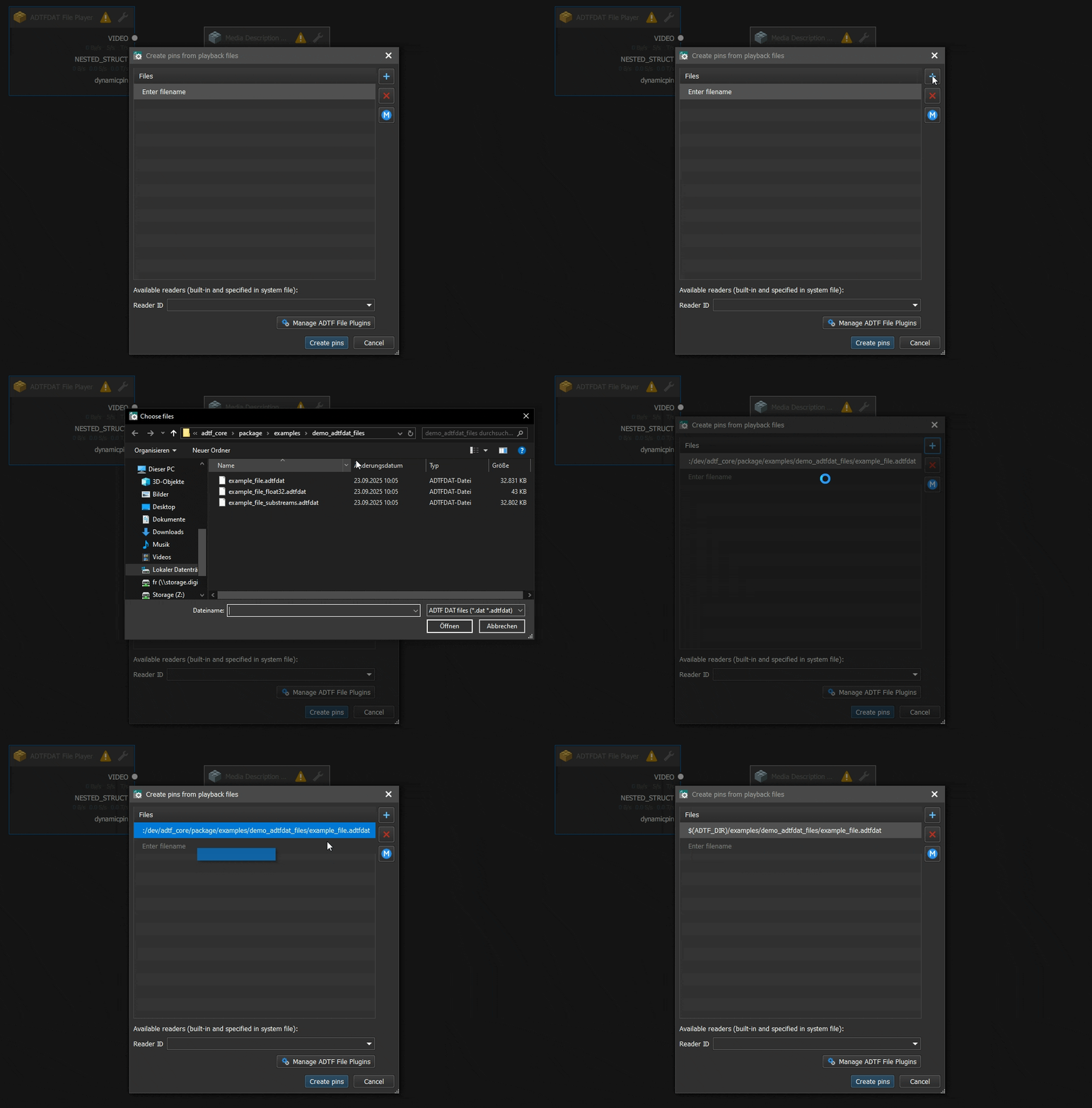
Here is an overview of already set and used macros for resolving:
| Macro | Description |
|---|---|
ADTF_SESSION_DIR | Directory of the current session file |
ADTF_SESSION_FILE_NAME | Name of the current session file without path |
ADTF_SESSION_FILE_NAME_NOEXT | Name of the current session file without path and extension |
ADTF_SYSTEM_DIR | Directory of the current system file |
ADTF_SYSTEM_FILE_NAME | Name of the current system file without path |
ADTF_SYSTEM_FILE_NAME_NOEXT | Name of the current system file without path extension |
ADTF_GRAPH_DIR | Directory of the current graph file |
ADTF_GRAPH_FILE_NAME | Name of the current graph file without path |
ADTF_GRAPH_FILE_NAME_NOEXT | Name of the current graph file without path extension |
ADTF_REMOTE_CONTROL_URL | RPC url to access the launched session (ADTF Launcher) |
ADTF_CONFIGURATION_EDITOR_DIR.After reading this page, you should have a good overview about available macros and where to find them.
Let's have a look at the Interfaces to extend the CE's functionality.